Appearance
Creating a Fulfillment Webhook
Step by step tutorial
Step 1
Adding a new Webhook
This can be done by going to:
https://admin.shopify.com/store/<STORE_NAME>/settings/notifications
Step 2
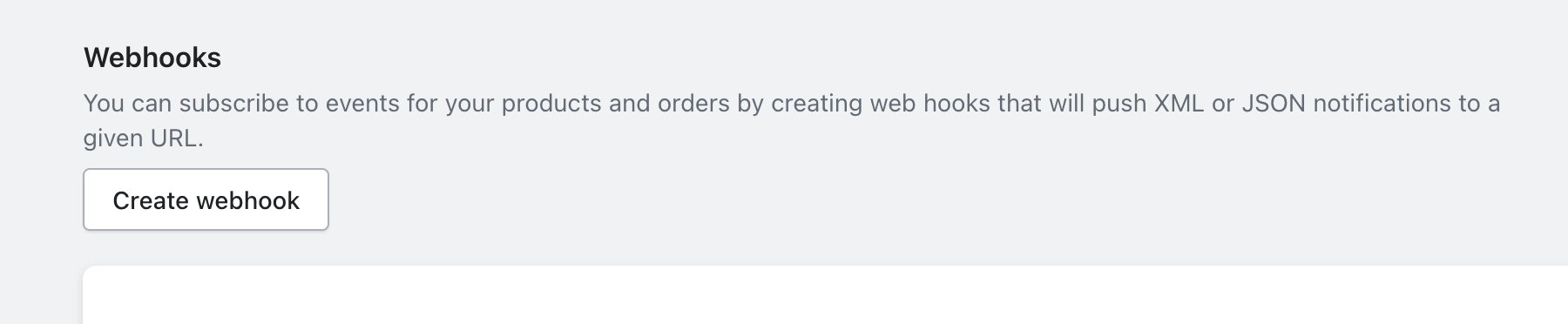
Scroll to the Bottom
Click on "Create webhook"
Step 3
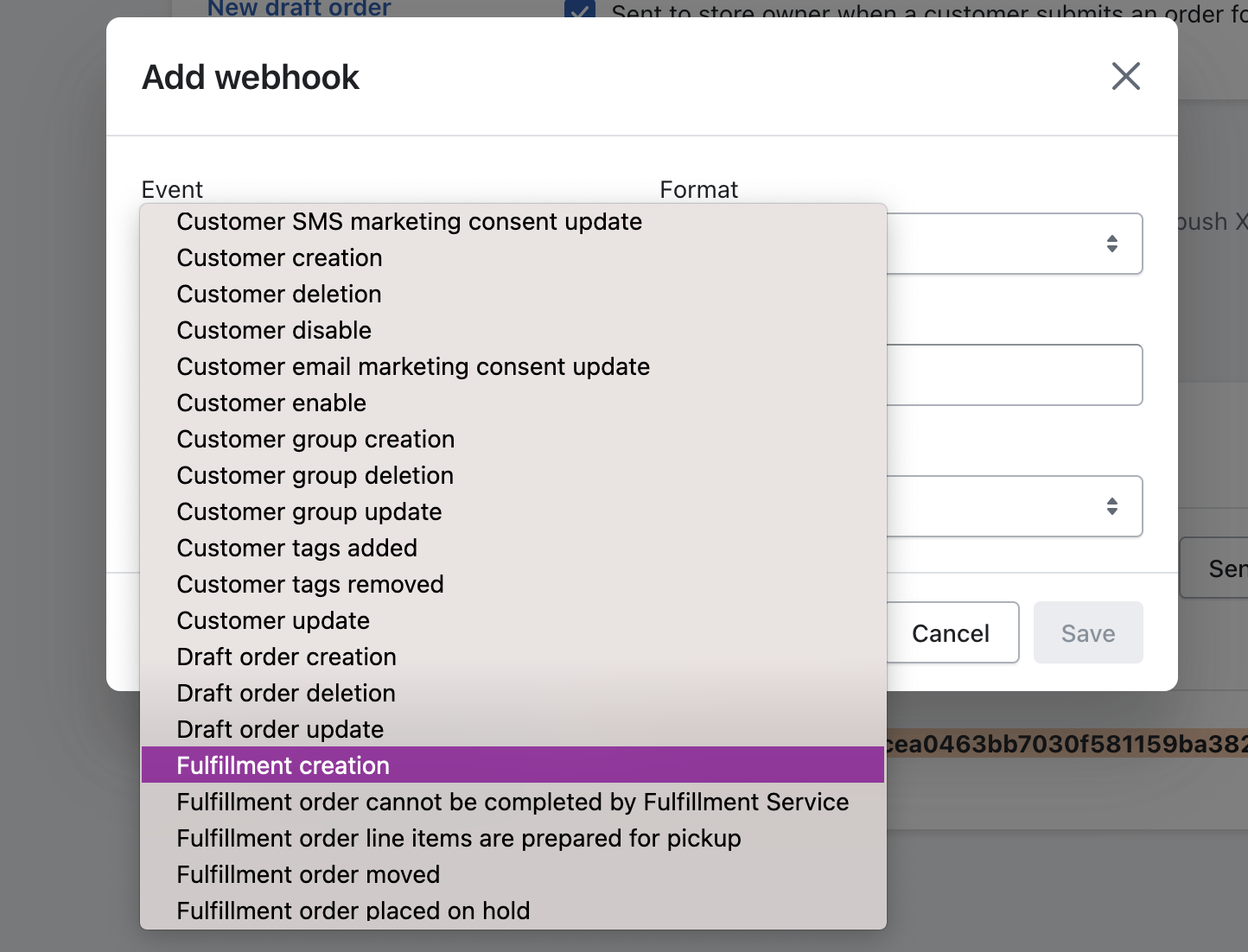
Click on Event
Select Fullfillment Creation
Step 4
Fill out the Rest
Add in URL, and Webhook API Version
The URL must be:
https://sync.wrkoutstore.com/api/shopify/<STORE_NAME>/create-fulfillment
And the Webhook API version should be:
2023-10
At the time of writing, this is the current "Release canditate".
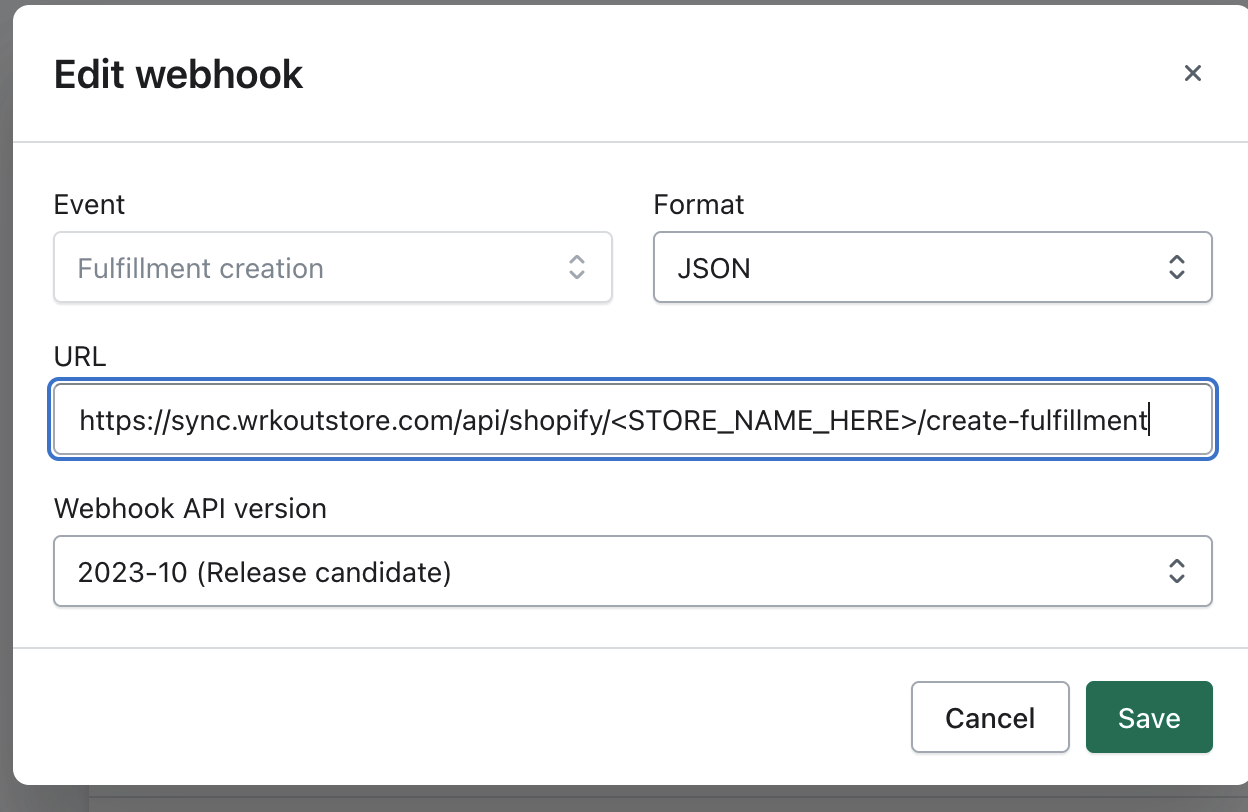
Make sure to update with your actual STORE_NAME. Then hit save.
Step 5
Security
Copy and paste the HMAC below:

This is for security to verify the request integrity.
Finish
You're done! Nice work! 😄
Send over to ilia@wrkout.com
Three points of data:
- Your STORE_NAME
- Your Shopify Access Token which was saved in step 2 (should start with shpat_)
- The webhook HMAC